Connect Your Site
Follow this flow to securely connect your WordPress site with our AI platform in seconds.
Before you begin:
- Plugin installed and active on WordPress. View guide.
- Active account on thankyou.gg. Create free account.
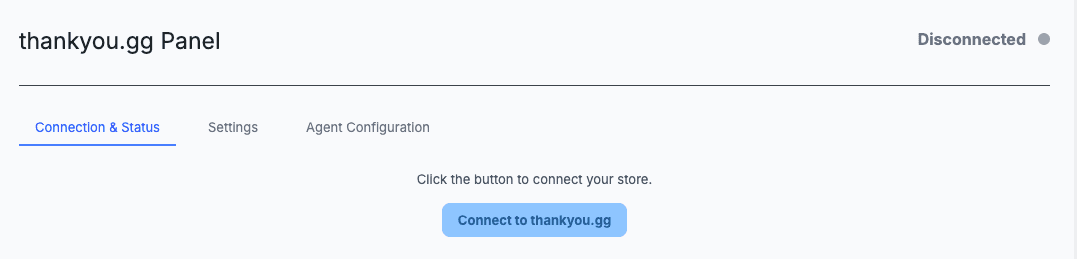
Start the connection from WordPress
In the plugin menu, click the Connect to thankyou.gg button. If you use WooCommerce, you will see a popup to authorize the automatic creation of access keys.
Log In and Choose Organization
You will be redirected to log in. Then, select your existing Organization or create a new one in the Dashboard to host your site.

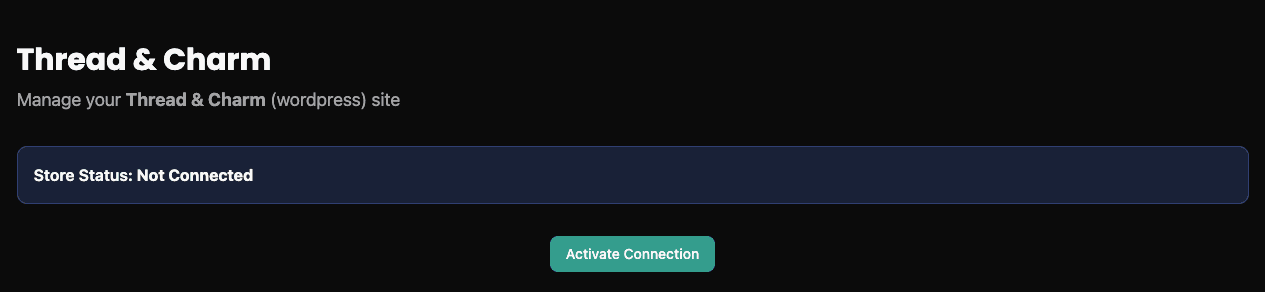
Activate the Site in the Dashboard
Inside your organization, create or select the website that corresponds to your WordPress store and click Activate.
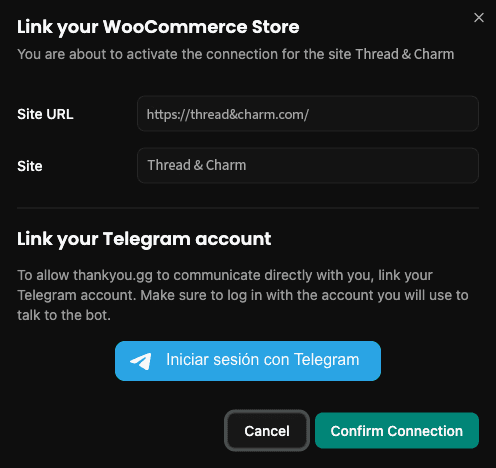
Confirm the Connection
You will see a confirmation modal. Verify the URL, link your Telegram account (optional for notifications), and click Confirm Connection to finish.
Having trouble connecting?
WooCommerce Permissions
Make sure to click 'Approve' if the permissions window appears.
Failed redirect
If you are not automatically returned to WordPress, refresh the plugin page.